Save models & experiments to your account
Once you log in, your customized models and assembled experiments live under My models, and you can issue API keys for scripts.
Save and find your models
In the Experiment Builder, use Save to my models instead of (or alongside) downloading the YAML. Your saved models appear in your dashboard's left menu at My models (/my/models). Each model (1) can be re-opened in the builder or downloaded again.
Whole experiments you assemble can be stored to your account too. Push them from Python with the REST API (POST /api/tvbo/v1/experiments), so a collaborator can reproduce your run by id rather than by emailing a YAML file. See Retrieve & store via the API.
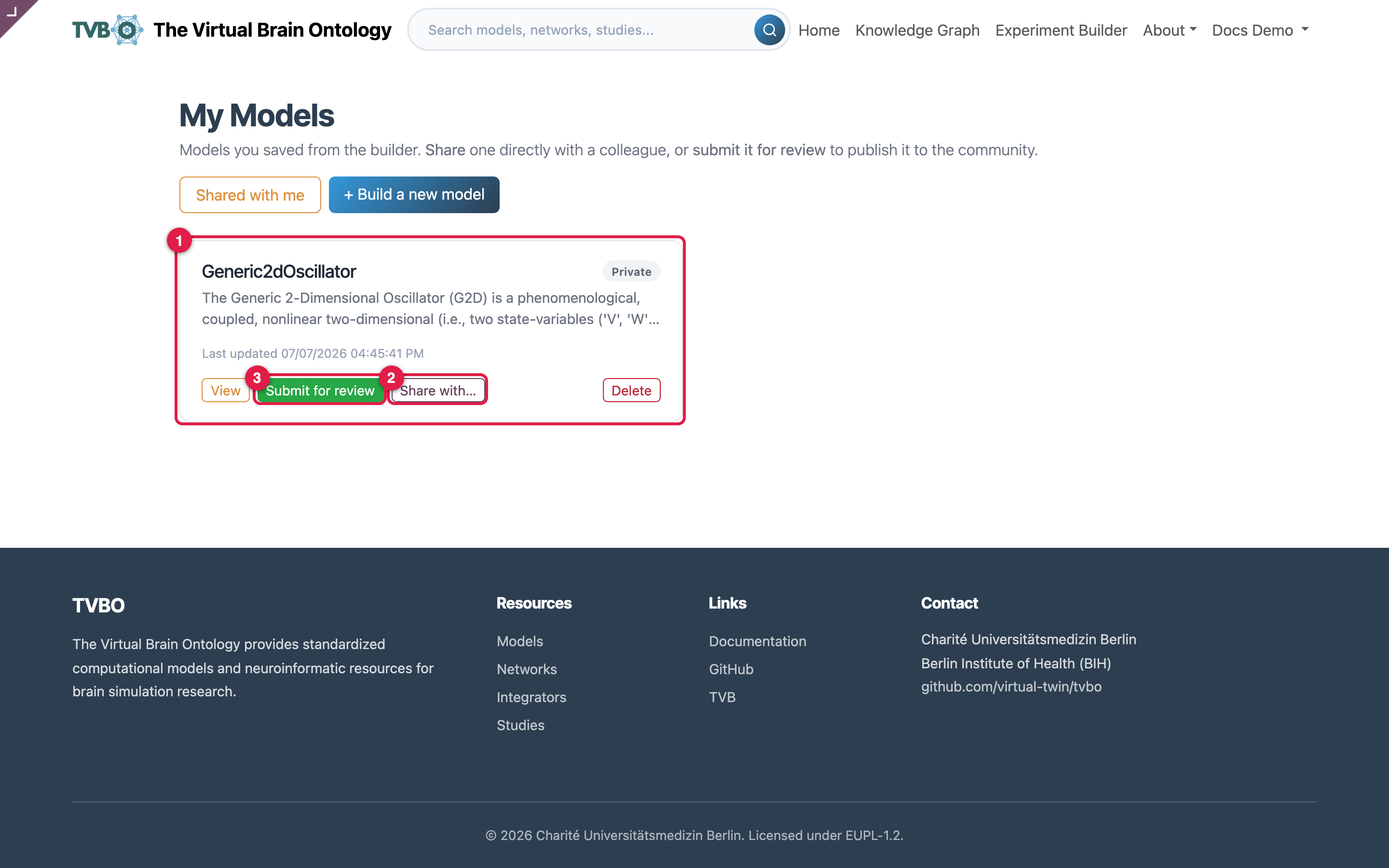
Share or publish
Saved items stay private to you. There are two separate ways to let others in:
- Share with a colleague (2) — grant a specific person access instantly.
It does not become public.
- Submit for review — request publication to the whole community. It goes
through automated validation and a human reviewer before it appears in the community gallery at /tvbo/models/shared and the Knowledge Graph.
The two are independent and both are managed from My Models. See Share & publish for the full workflow, the validation checks, and how to do the same from Python.
API keys
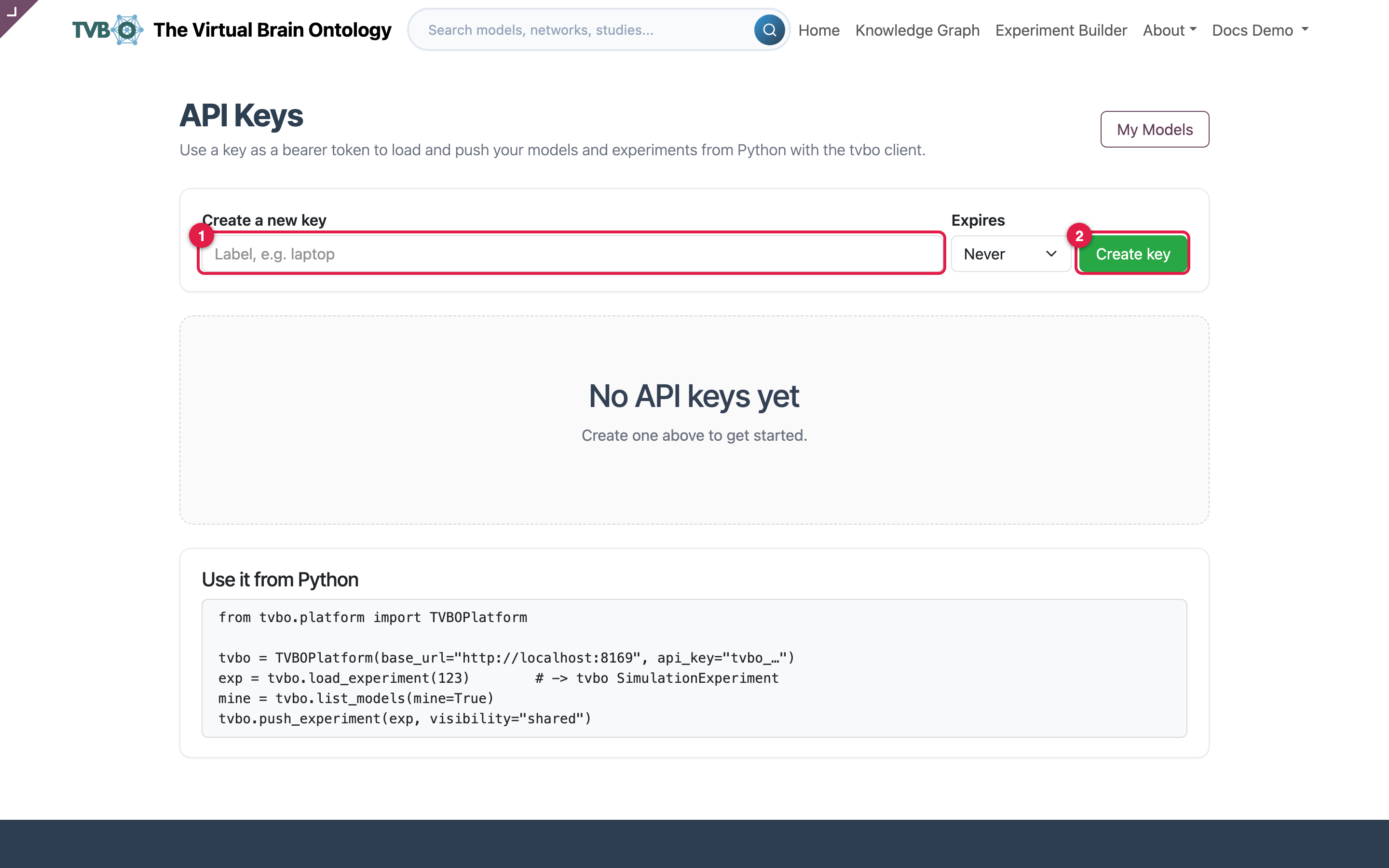
Name a key (1) and click Create key (2) at /my/api-keys. The raw key is shown once, so copy it then. Use it as a bearer token to pull and push your models and experiments from Python: see Retrieve & store via the API for the endpoints and ready-to-run code.
Treat keys like passwords
An API key grants access to your account. Copy it when shown, store it safely, and revoke it if exposed.