Knowledge Graph: list view
The default view shows one card per entity, with a result counter above the grid. The numbered markers below match the controls in the screenshot.
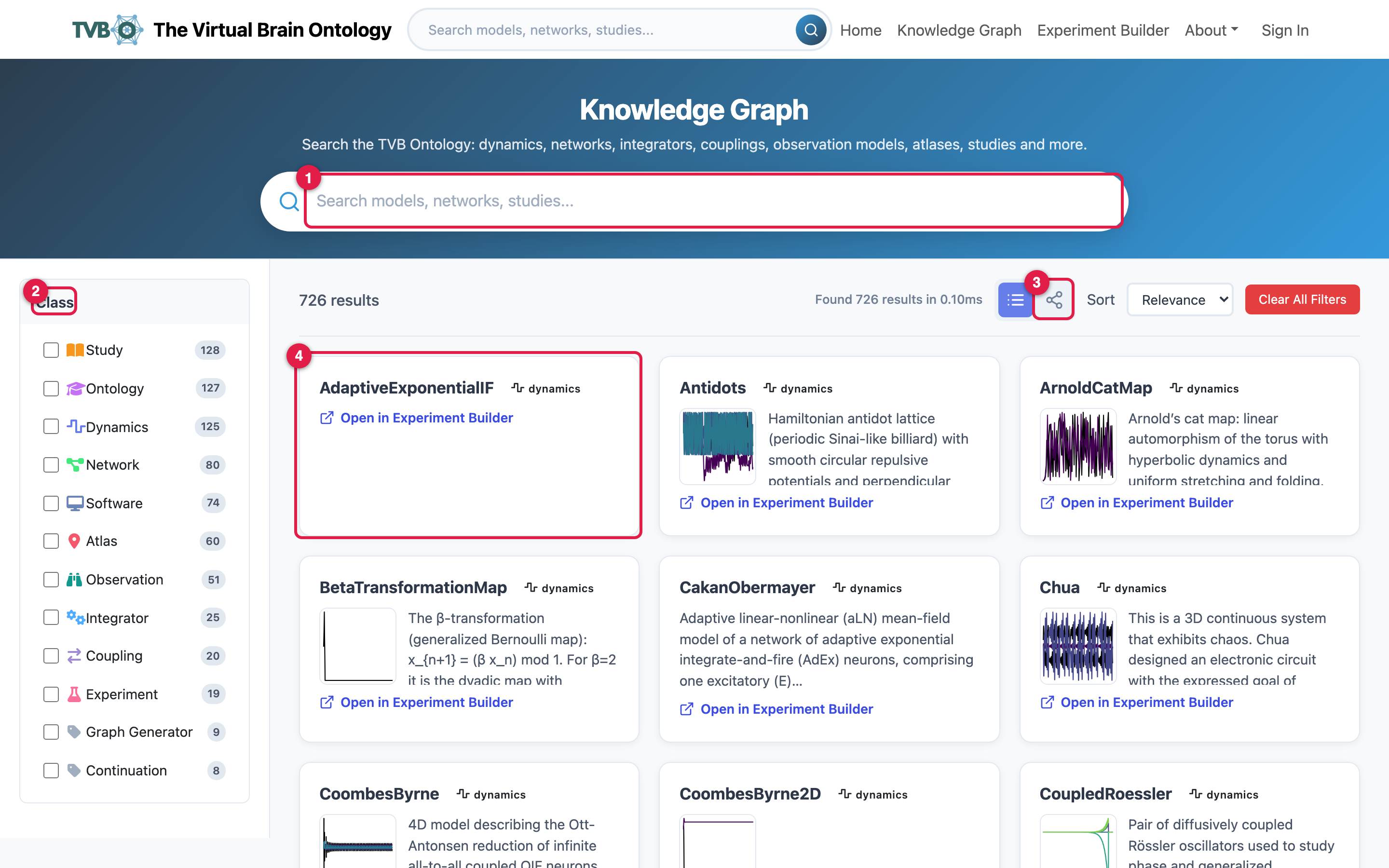
- Search filters live across names and descriptions as you type. Try
Kuramoto, Desikan, or epilepsy.
- The Class filter narrows results to Dynamics, Network, Coupling, Study,
Atlas, and the rest; each row shows a count. Clear All Filters resets it, and Sort orders by relevance or alphabetically.
- The view toggle switches between this list and the
- Each card is one entity. Click it to open the detail.
Open a detail card
The detail shows the full entity: description, parameters, state variables, governing equations, and related entities.
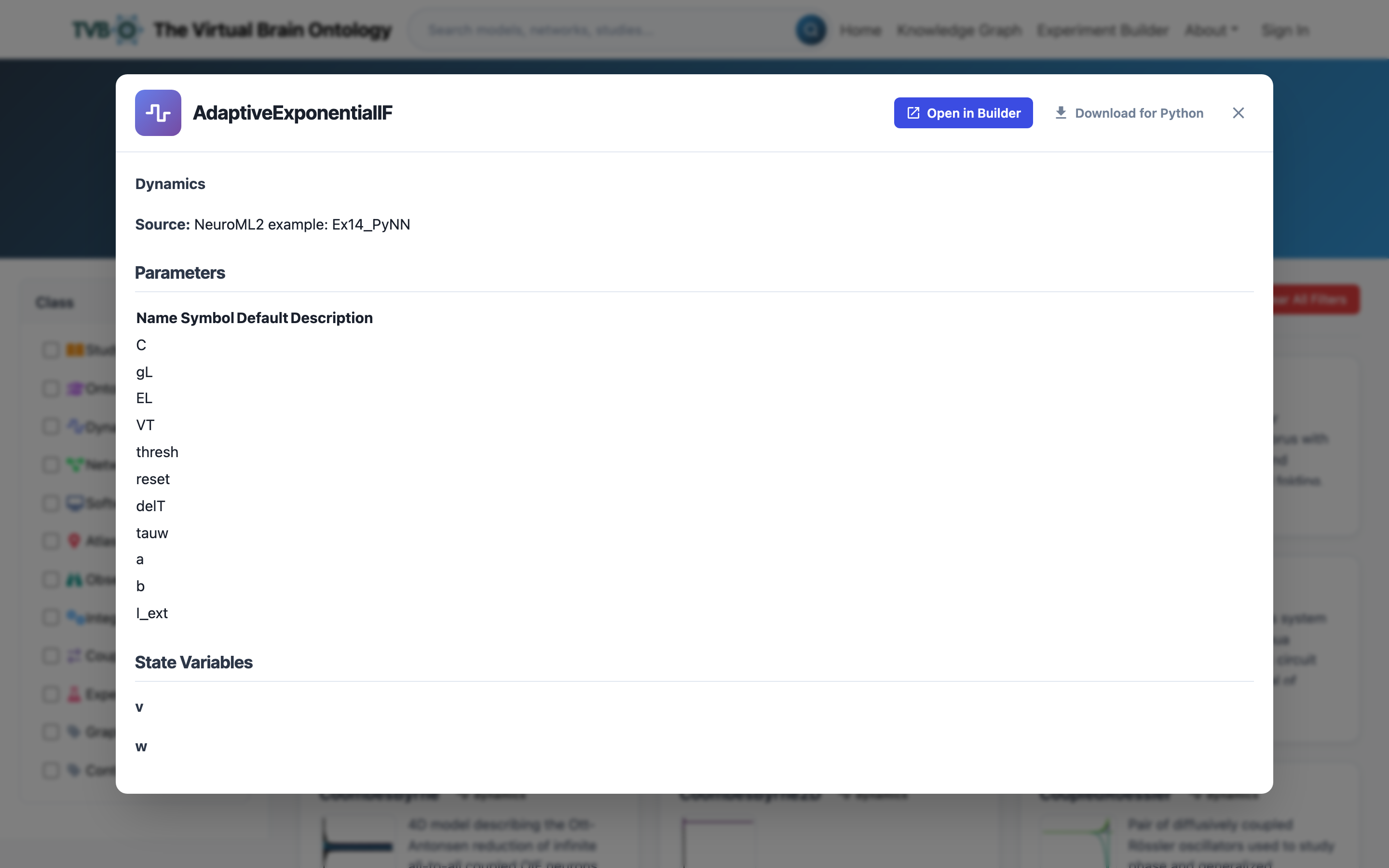
Follow the links to related entities, or send the entity to the Experiment Builder.