Export & run
The YAML Specification panel shows the live, valid spec as you build. When ready, use the buttons at the top-right of the builder:
- Download saves the experiment as a YAML bundle, plus a companion data file for
the connectome matrices.
- Copy Python copies a ready-to-run snippet to your clipboard.
The YAML is schema-validated, so only well-formed experiments export. An untouched example exports byte-for-byte the curated original.
Run on the platform
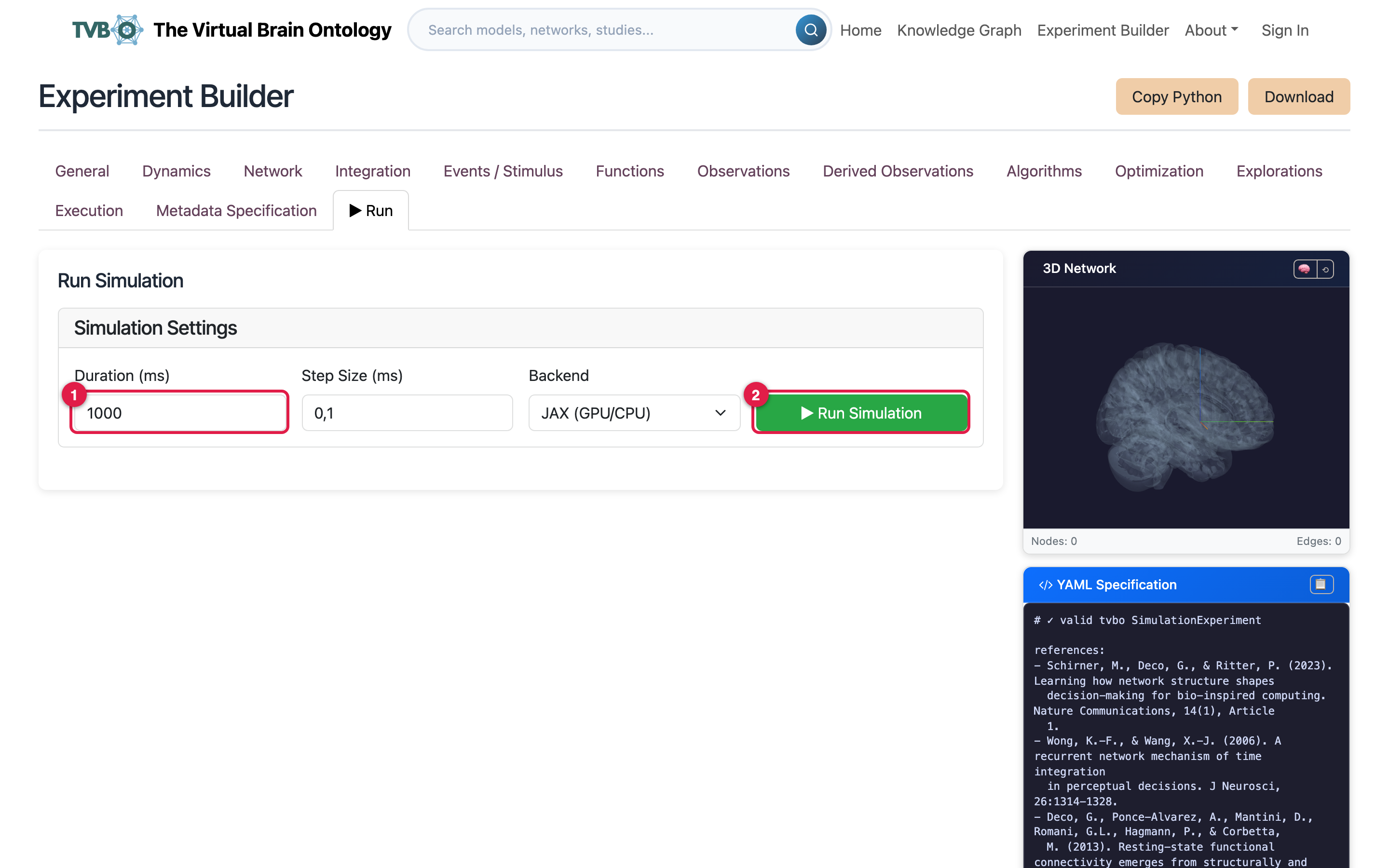
You can run the experiment without leaving the browser. Open the Run tab, set the duration, step size, and compute backend such as JAX (1), then click Run Simulation (2). The platform runs it with the tvbo package on that backend and returns the result. This is the quickest way to check an experiment before you export it.
For full control over a run, export it and use Python instead.
Run it in Python
pip install tvbofrom tvbo import SimulationExperiment
experiment = SimulationExperiment.from_file("demo_experiment.yaml")
result = experiment.run()
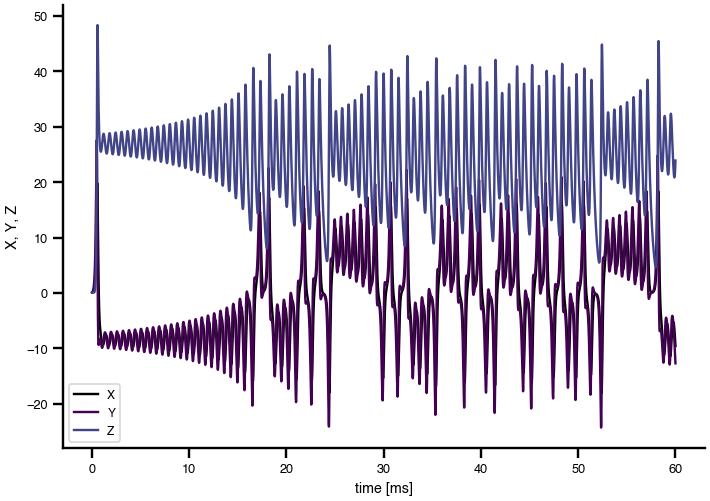
result.plot()A run produces regional time series you can plot:
Watch: running an exported experiment
The Python package section has the full API. Signed in, you can save the experiment to your account instead of downloading it. See Save to your account.